GC GeckCo AI
Photo Wiring Done

Codex For Hardware

Build hardware without the scary parts.

Snap a parts photo, say the idea, and GeckCo walks you from loose components to a working ESP32 build.

No code. No debugging. No endless copy-pasting ChatGPT code and praying it works.

See the 3 features
GeckCo AI transforming a parts photo into a clean guided build plan
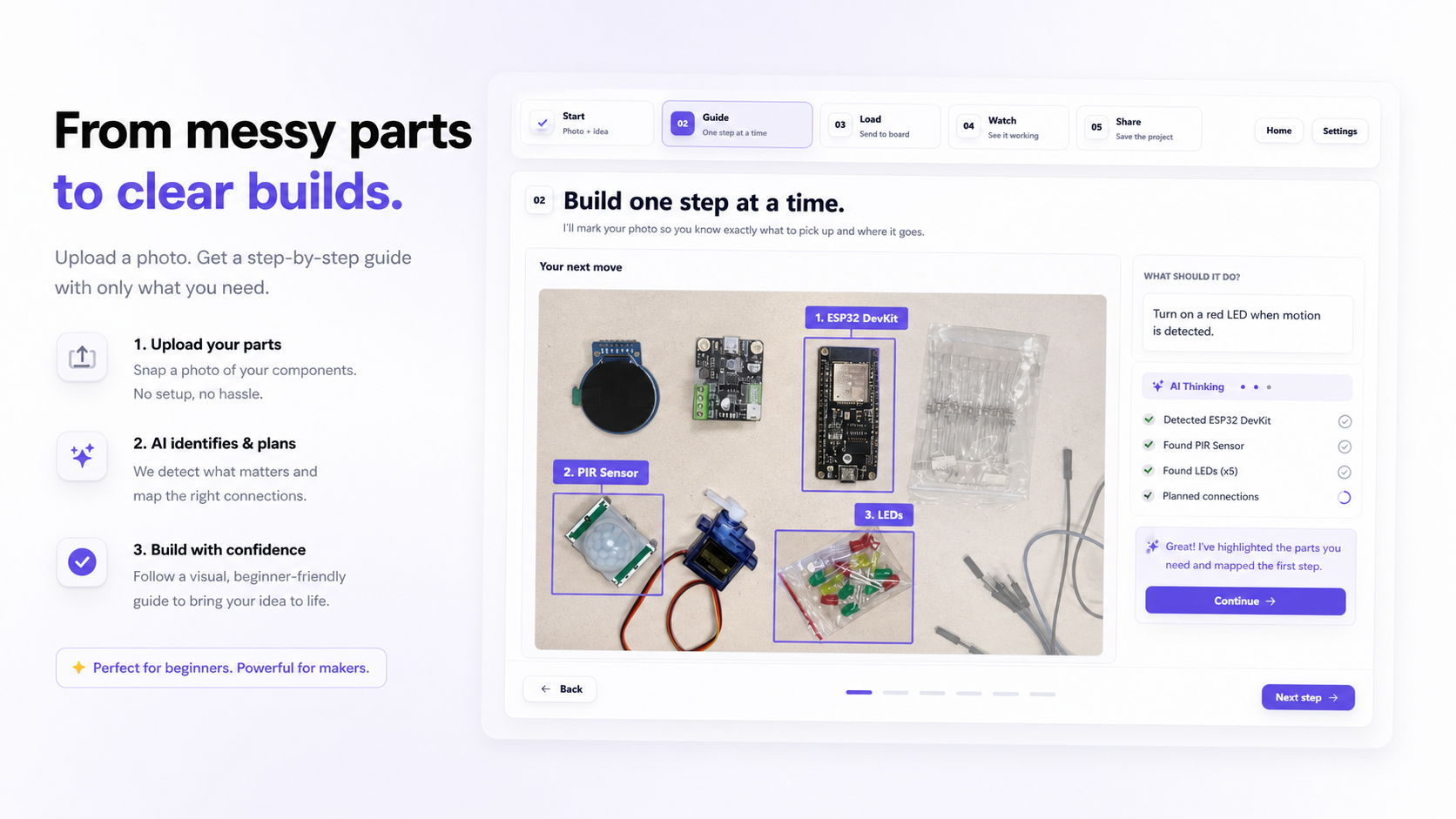
Photo-to-guide AI feature artifact

Feature 01

Photo-to-guide AI

Upload one clear parts photo and GeckCo finds only what your build actually needs.
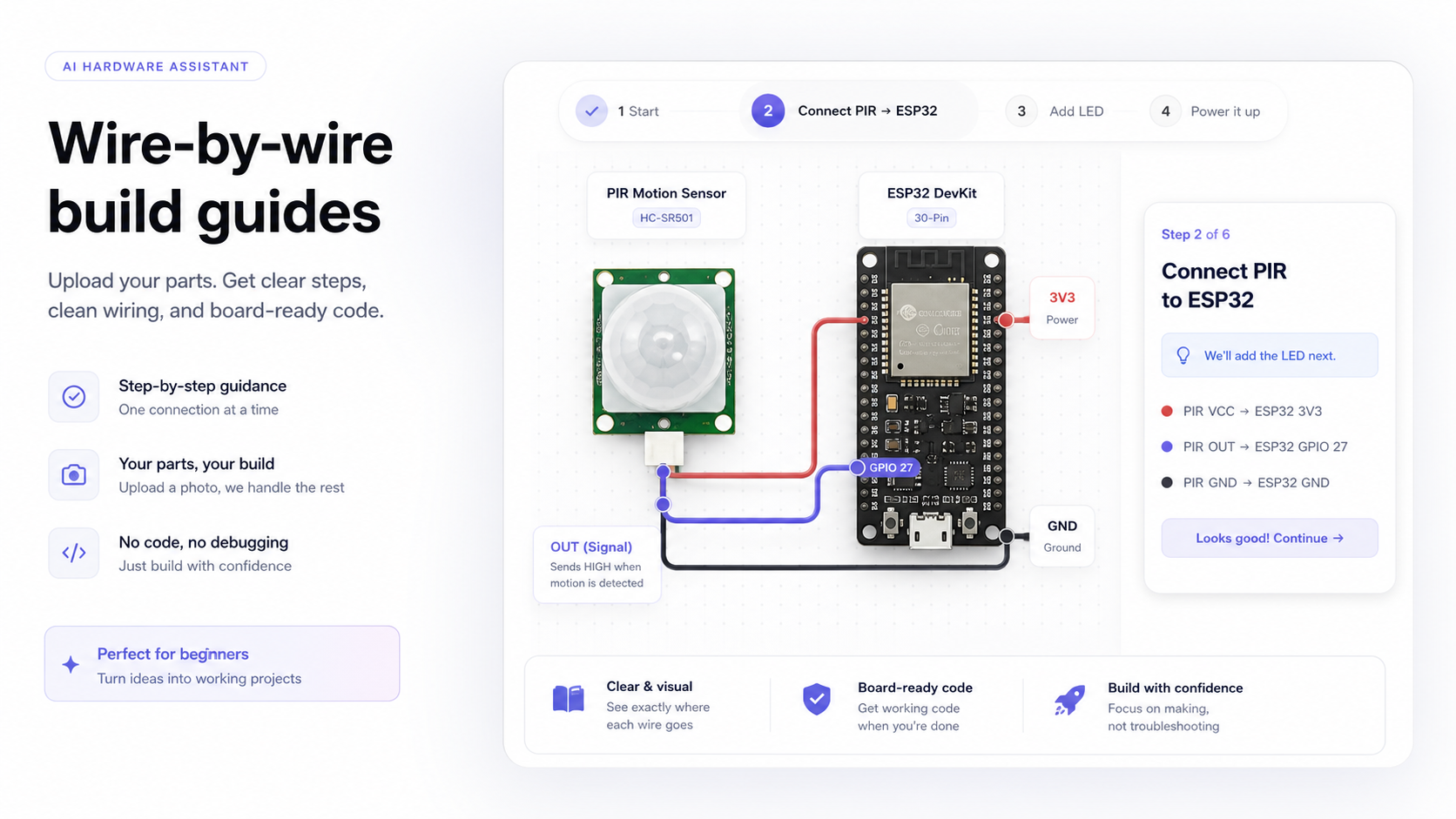
Wire-by-wire hardware guide feature artifact

Feature 02

Wire-by-wire handholding

Follow one calm step at a time on your own image, with clean labels and clear checks.
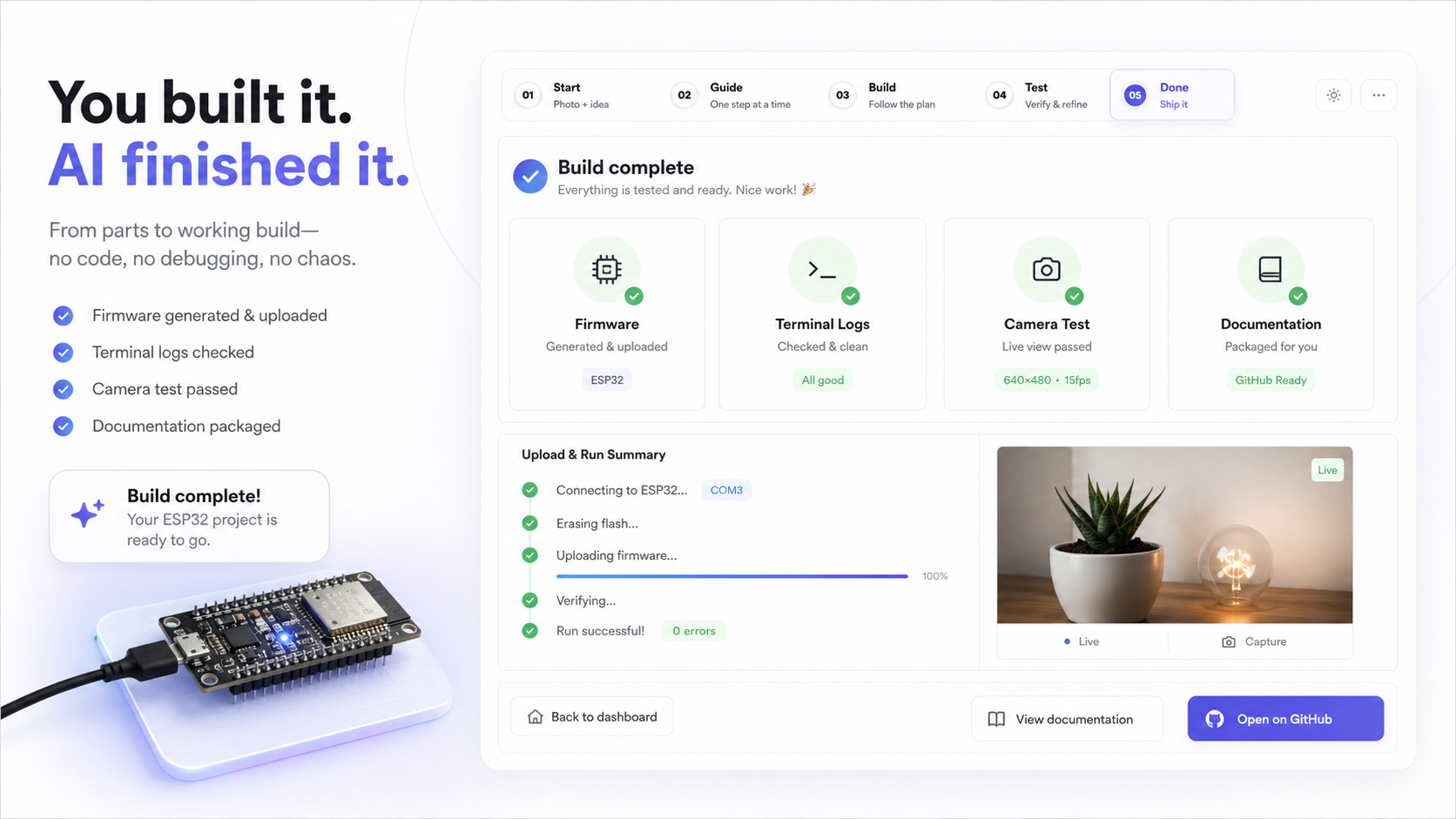
Finish hardware build without code chaos feature artifact

Feature 03

Finish without code chaos

GeckCo prepares the firmware, helps upload it, checks the result, and packages the proof.
GC GeckCo AI

01

Start with what you have.

Lay out your parts, take a clear photo, and describe the build. GeckCo turns it into a guided hardware path.

Ready
I’ll write down what I hear here.

02

Build one step at a time.

Your photo becomes the map: highlighted parts, clear connections, and one safe move at a time.

    03

    Put the code on your board.

    Plug in the ESP32. I’ll prepare the code and send it over when you press one button.

    01

    Board setup

    Connect the ESP32 with USB. When your browser asks, pick the board from the list.

    I’ll check that your computer is ready.
    Advanced board options

    The code I’ll send

    Your code will appear here after I make the guide.

    04

    Let’s make sure it works.

    I’ll listen to the board and look at the project with the camera so we can catch issues together.

    01

    Board messages

    This is where your board tells us what it is doing.

    Board messages will appear here after you connect.
    I’ll help read these messages once they appear.
    02

    Visual check

    Point the camera at the project. I’ll compare what I see with what we expected.

    I’ll look at a photo when you are ready.

    05

    Save your project.

    I’ll turn the build into clean project notes and package the code so you can share it.

    Nothing shared yet.
    Your project notes will appear here.

    Settings